


Yes, iPads and tablets emit electromagnetic radiationElectromagnetic radiation (EMR) is energy that travels through space as waves of oscillating electric and magnetic fields. It includes everything from radio waves to visible light to gamma rays. All.... The primary source is RF radiation from WiFi and Bluetooth. When charging, tablets also emit ELF radiation from power conversion.
While tablets produce less EMFEMF stands for electromagnetic field (also called electromagnetic frequency or electromagnetic force). EMFs are invisible fields of energy produced by electrically charged objects. They exist on a spectrum ranging from... than laptops, usage often involves closer body proximity—held against the chest, rested on the abdomen, or near the face. This close contact creates meaningful cumulative exposure.
Medical Disclaimer: This article is for informational purposes only. It is not, nor is it intended to be, a substitute for professional medical advice, diagnosis, or treatment and should never be relied upon for specific medical advice.
Key Takeaways
- Tablets emit RF radiation from WiFi and Bluetooth, plus ELF radiation when charging
- WiFi is the primary EMF source in most tablets since it’s constantly communicating with your router
- Children hold tablets closer to their bodies and use them for longer periods than adults
- Airplane mode eliminates RF emissions entirely while still allowing offline games, videos, and apps
- Using a stand instead of resting the tablet on your body creates meaningful distance and reduces exposure
Do iPads and Tablets Emit Radiation?
All tablets, including iPads, emit electromagnetic radiation as part of their normal operation. Any device that connects wirelessly must transmit radio frequency signals, and any device with electronic components generates electromagnetic fields.
The question isn’t whether tablets emit radiation, but rather what types, how much, and what this means for your health given how you use these devices.
Tablets occupy an interesting position in the EMF conversation. They generally emit less radiation than laptops because they have smaller, less powerful components. But they’re often used in ways that place them closer to our bodies, and they’ve become primary entertainment devices for children who may not understand or follow usage guidelines.
EMF Sources in Tablets
Understanding where tablet EMF comes from helps you make informed decisions about how to use these devices.
WiFi (Primary Source)
WiFi is the largest EMF source in most tablets. Your tablet’s WiFi antenna continuously communicates with your router, sending and receiving data:
| WiFi Activity | Emission Level |
|---|---|
| Idle (connected but not actively downloading) | Low continuous RF |
| Browsing, email | Moderate, intermittent spikes |
| Streaming video | High sustained RF |
| Video calling | High sustained RF |
| Downloading large files | High RF during transfer |
WiFi operates in the 2.4 GHz and 5 GHz frequency bands. Most tablets support both bands, and many automatically switch between them based on signal strength and network conditions.
Bluetooth
When you connect wireless headphones, speakers, or keyboards to your tablet, Bluetooth adds another layer of RF emissions. Bluetooth operates at lower power than WiFi but remains active whenever devices are paired and connected.
Cellular (Some Models)
Tablets with cellular capability (iPad Cellular, Android tablets with LTE/5G) emit additional RF radiation when connected to mobile networks. Cellular antennas must reach towers potentially miles away, requiring more power than WiFi or Bluetooth. If you have a cellular-enabled tablet, this becomes a significant EMF source when WiFi isn’t available.
ELF During Charging
When plugged into a wall outlet, tablets generate ELF radiation from the power conversion process. The charger transforms AC power into DC power for the battery, creating electromagnetic fields in the process. Children who use tablets while charging receive both RF and ELF exposure simultaneously.
How Tablet Radiation Differs from Laptop Radiation
If you’ve read our guide on laptop radiation, you might wonder how tablets compare.
| Factor | Tablet | Laptop |
|---|---|---|
| Primary EMF source | WiFi (RF) | Electrical components (ELF) + WiFi |
| ELF when unplugged | Minimal | Moderate |
| ELF when charging | Moderate | High |
| Heat generation | Low to moderate | High |
| Typical body distance | Often direct contact | Often direct contact or near |
| Processing power | Lower | Higher |
| Typical session length | Varies widely | Often hours |
The key difference is ELF radiation. Laptops produce substantial ELF from powerful processors and electrical components, whereas tablets produce minimal ELF during battery operation. However, this advantage diminishes when tablets are used while charging.
The other significant difference is heat. Laptops generate enough heat to cause toasted skin syndrome with prolonged lap use. Tablets rarely get that hot, though they can become warm during intensive tasks.
Tablet Usage Patterns That Increase Exposure
How you use your tablet matters more than the device’s baseline emission levels. Certain usage patterns significantly increase your EMF exposure.
Resting on the Lap or Abdomen
When you recline and place your tablet on your stomach or upper thighs, sensitive areas of your body are in direct contact with the device. This position is common for video watching, reading, and casual browsing. The RF antenna, located somewhere in the tablet’s frame, may be just inches from your reproductive organs or abdomen.
Holding Close to the Face
Video calls, FaceTime sessions, and close-up reading put the tablet’s screen (and WiFi antenna) near your face and brain. While brief exposure isn’t concerning, extended video calls with the tablet held at arm’s length or closer create sustained exposure to sensitive areas.
Extended Streaming Sessions
Streaming video requires sustained WiFi communication. A two-hour movie means two hours of continuous RF transmission. Multiple episodes back-to-back compounds this exposure, especially if the tablet is resting against your body throughout.
Using While Charging
Charging adds ELF radiation to the existing RF emissions. Children who use tablets while they charge (a common scenario when battery runs low during use) receive the maximum exposure profile from the device.
Special Concerns for Children and Tablets
Tablets have become ubiquitous in children’s lives. According to various surveys, many children spend 2-4 hours daily on tablets, with some spending significantly more. This raises specific concerns about pediatric EMF exposure.
Children’s Bodies Absorb More Radiation
Children’s skulls are thinner and their bodies are smaller, meaning EMF penetrates proportionally deeper into their tissues. A WiFi signal that penetrates an inch into an adult’s head penetrates farther into a child’s smaller head. Their developing nervous systems and reproductive organs may be more vulnerable to potential EMF effects.
Children Hold Tablets Closer
Watch how children use tablets. They often hold them inches from their faces, hunch over them while gaming, or rest them directly on their bodies. Adults are more likely to use stands or maintain distance. These usage patterns translate to higher exposure for children.
Extended Sessions Are Common
Children using tablets for entertainment may engage in extended sessions, especially with compelling games or video content. Unlike adults who have other responsibilities pulling them away, children may use tablets for hours if not supervised.
Limited Understanding of Risk
Young children can’t understand or evaluate EMF concerns. They won’t voluntarily take precautions or limit their own use. Exposure reduction depends entirely on parental awareness and guidance.
Research on Children and EMF
While research specifically on children and tablet EMF is limited, the broader body of EMF research has consistently flagged children as a potentially vulnerable population. The World Health Organization and other health organizations have noted that children may be more susceptible to environmental exposures in general.
Given these factors, many experts suggest extra caution with children’s tablet use, including both time limits and usage guidelines that reduce EMF exposure.
How to Reduce Tablet EMF Exposure
Reducing tablet EMF exposure involves simple changes to usage habits. These strategies work for both adults and children.
Use Airplane Mode When Possible
Airplane mode disables all wireless transmitters: WiFi, Bluetooth, and cellular. This eliminates RF emissions entirely. Many tablet activities don’t require an internet connection:
- Downloaded videos and movies
- Offline games
- Reading downloaded books or documents
- Photo editing
- Many educational apps (when content is pre-downloaded)
Get in the habit of downloading content for offline viewing. This not only reduces EMF but also eliminates buffering issues and saves battery.
Use a Stand Instead of Your Body
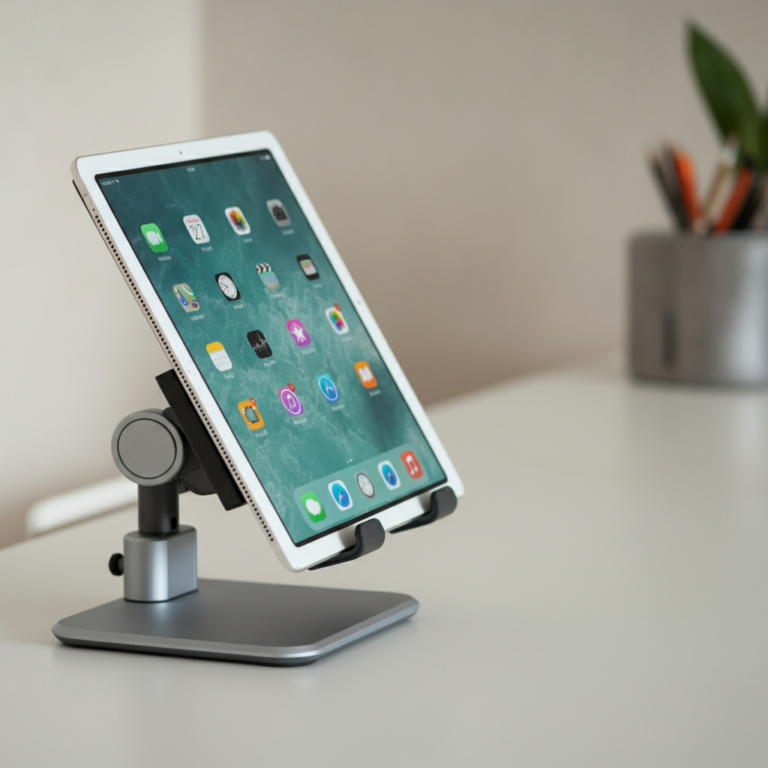
A simple tablet stand creates distance between the device and your body. Even 12 inches of separation significantly reduces exposure compared to direct body contact. Stands are inexpensive and available in countless styles.
For children, table-mounted or bed-mounted holders keep tablets visible and accessible without resting on their bodies.
Disable WiFi When Using Offline
If you’re reading a book or playing an offline game, turn off WiFi even if you don’t need full airplane mode. This eliminates the constant background communication between your tablet and router.
Limit Duration
Shorter sessions mean less cumulative exposure. For children especially, setting clear time limits serves multiple purposes: reducing screen time, encouraging other activities, and limiting EMF exposure.
Avoid Using While Charging
If possible, charge tablets when not in use rather than using them while plugged in. This eliminates the ELF component of exposure. For children’s tablets, establish a routine of charging overnight.
Choose WiFi Over Cellular
If your tablet has cellular capability, connecting via WiFi produces less RF than cellular when both options are available. Cellular requires more power to reach distant towers. Use WiFi networks when available and reserve cellular for when WiFi isn’t an option.
Create Device-Free Zones
Keeping tablets out of bedrooms, especially children’s bedrooms, reduces overnight exposure and helps establish healthy boundaries around device use.
Tablet Protection Options
Unlike laptops, tablets don’t typically require dedicated EMF shielding products because their emission profile is lower. The most effective tablet protection is behavioral: using stands, enabling airplane mode, and limiting direct body contact.
However, laptop pads work for tablets as well. If you frequently use a tablet on your lap, a quality EMF shielding pad provides the same barrier it would for a laptop. This is particularly relevant for larger tablets like the iPad Pro that approach laptop size and power.
For children’s tablets, protective cases are widely available. While standard cases don’t block EMF, they do encourage handling that keeps the tablet slightly away from the body rather than pressed against it.
The Bottom Line
iPads and tablets emit electromagnetic radiation, primarily RF from WiFi and Bluetooth connections. While emission levels are generally lower than laptops, tablets are often used in ways that place them in close contact with our bodies for extended periods.

Children’s heavy tablet use deserves particular attention. Their developing bodies may be more vulnerable to EMF effects, and their usage patterns often involve closer contact and longer sessions than adult use.
The good news is that reducing tablet EMF exposure is straightforward. Airplane mode eliminates RF emissions when you’re not actively using the internet. Stands create distance from your body. Charging tablets when not in use avoids the ELF emissions from power conversion.
These simple adjustments let you and your children enjoy tablets while minimizing unnecessary EMF exposure. The goal isn’t fear of technology; it’s informed use that reduces exposure without sacrificing the benefits these devices provide.
Common Misconceptions
Misconception: Tablets don’t emit much radiation because they’re smaller than laptops.
Reality: While tablets produce less ELF radiation than laptops, they still emit RF radiation from WiFi and Bluetooth. More importantly, tablets are often held closer to the body than laptops, which can increase exposure despite lower emission levels.
Misconception: Children are fine using tablets because the radiation is too weak to matter.
Reality: Children’s smaller bodies mean EMF penetrates proportionally deeper into their tissues. Their developing systems may be more vulnerable to environmental exposures. Combined with children’s tendency to hold devices close and use them for extended periods, this warrants extra caution.
Misconception: WiFi radiation is the same whether you’re close to the tablet or across the room.
Reality: EMF intensity decreases rapidly with distance. A tablet pressed against your body exposes you to much more RF than the same tablet on a desk three feet away. The inverse square law means doubling distance reduces exposure by a factor of four.
Misconception: Putting a tablet in a case blocks the radiation.
Reality: Standard protective cases don’t block EMF. They protect against drops and scratches, not electromagnetic radiation. EMF shielding requires specific materials designed for that purpose.
Misconception: Tablets in airplane mode don’t emit any radiation.
Reality: Airplane mode eliminates RF emissions (WiFi, Bluetooth, cellular). However, the tablet’s electrical components still produce minimal ELF radiation whenever the device is powered on. This residual ELF is much lower than RF emissions and lower than what laptops produce, but it’s not zero.
Frequently Asked Questions
It depends on the activity. Tablets generally emit less RF than phones during cellular calls (which require powerful transmission to reach towers). However, tablets used for extended WiFi streaming may emit more total RF over time than brief phone calls. The comparison varies by usage pattern.
Tablets aren't inherently dangerous for children, but usage patterns matter. Encouraging breaks, using airplane mode for offline activities, using stands instead of lap placement, and setting time limits all help reduce children's EMF exposure while still allowing them to use and learn from these devices.
If WiFi is disabled, tablets don't emit RF from that source. However, if Bluetooth remains enabled, that produces RF. And when plugged in for charging, tablets emit ELF radiation. Only in airplane mode with no charging is the tablet at its lowest emission state.
Key strategies include: download content for offline viewing, use airplane mode when internet isn't needed, provide a stand instead of allowing lap use, avoid giving tablets while they're charging, and set reasonable time limits. Making these practices routine is more effective than occasional enforcement.
Given research on EMF and developmental effects, many experts suggest pregnant women avoid resting tablets directly on the abdomen. Using a stand or table keeps the device away from the developing fetus. This is a precautionary measure that doesn't require giving up tablet use, just adjusting positioning.
If the tablet is powered on but the screen is off (sleep mode), it may still maintain WiFi and Bluetooth connections, producing some RF. Completely powering off the tablet or enabling airplane mode eliminates RF emissions. The minimal electrical activity in sleep mode produces negligible ELF.
There's no clear evidence that newer tablets are inherently safer regarding EMF. Newer models may have more efficient WiFi that could reduce some emissions, but they may also have additional features (faster WiFi standards, 5G5G is the fifth generation of wireless cellular technology, offering faster data speeds, lower latency, and greater network capacity than 4G LTE. It began rolling out commercially in 2019. 5G... cellular) that increase others. Proper usage practices matter more than device generation.