


Laptop EMFEMF stands for electromagnetic field (also called electromagnetic frequency or electromagnetic force). EMFs are invisible fields of energy produced by electrically charged objects. They exist on a spectrum ranging from... protection starts with behavioral changes: using a desk instead of your lap, disabling WiFi when not needed, and unplugging from AC power. These free strategies significantly reduce exposure from the ELF and RF radiation laptops produce.
When laptop-on-lap use is unavoidable, EMF shielding pads provide an additional layer of protection. Quality laptop pads use conductive materials to block radiation from reaching your body while also providing heat protection. The key is choosing products with documented testing and proper shielding across the relevant frequency ranges.
Key Takeaways
- Behavioral changes are the most effective first step: distance, WiFi settings, and power source all affect exposure
- Laptop EMF pads should block both ELF radiation (from electrical components) and RF radiation (from WiFi)
- Heat shielding matters too: laptops can reach 125°F+ and cause toasted skin syndrome with prolonged contact
- Look for products with laboratory testing that demonstrates shielding effectiveness at specific frequencies
- A laptop pad is a complement to smart habits, not a substitute for keeping distance when possible
Why You Need Laptop EMF Protection
If you’ve read our guides on laptop radiation and toasted skin syndrome, you understand the dual threat laptops pose: electromagnetic radiationElectromagnetic radiation (EMR) is energy that travels through space as waves of oscillating electric and magnetic fields. It includes everything from radio waves to visible light to gamma rays. All... that you can’t see or feel, and heat that can cause visible skin damage over time.
The question isn’t whether to be concerned; it’s what to do about it.
Laptops emit multiple types of EMF. ELF radiation comes from electrical components and increases significantly when plugged into AC power. RF radiation comes from WiFi and Bluetooth connections. Both types penetrate your body when the laptop sits on your lap.
Add the heat factor, and you have a device that affects your body in multiple ways during the same usage session. This is why protection strategies need to address the complete exposure profile, not just one component.
Behavioral Changes: The Foundation of Protection
The most effective laptop protection costs nothing and works immediately. Before considering any products, implement these behavioral strategies:
Use a Desk or Table
Every inch of distance reduces exposure. Moving your laptop from your lap to a desk creates meaningful separation from your body. This single change addresses heat, ELF, and RF exposure simultaneously.
If you must work away from a desk, even placing a substantial pillow or cushion between your body and the laptop creates some separation, though this doesn’t block EMF.
Unplug When Possible
ELF emissions from laptops can increase 10-fold or more when connected to AC power. The power supply converts alternating current, generating substantial electromagnetic fields in the process.
If your battery has charge and you’re doing light work (email, documents, browsing), running on battery power significantly reduces your ELF exposure.
Disable WiFi and Bluetooth When Not Needed
If you’re working offline on documents, presentations, or other local files, turn off WiFi. This eliminates RF emissions from the WiFi antenna entirely.
The same applies to Bluetooth. Unless you’re actively using wireless peripherals, disabling Bluetooth removes another RF source.

Use External Peripherals
A wired keyboard and mouse let you position your laptop farther from your body while maintaining full functionality. You can place the laptop several feet away on a stand and work comfortably without the radiation source being on or near your body.
Take Regular Breaks
Cumulative exposure matters. Short breaks throughout the day allow any biological effects to recover and reduce your total daily exposure. This also helps with heat: giving your skin breaks from laptop contact prevents the cumulative damage that causes toasted skin syndrome.
Types of Laptop Protection Products
When behavioral changes aren’t enough or laptop-on-lap use is unavoidable, products can provide additional protection.
EMF Shielding Laptop Pads
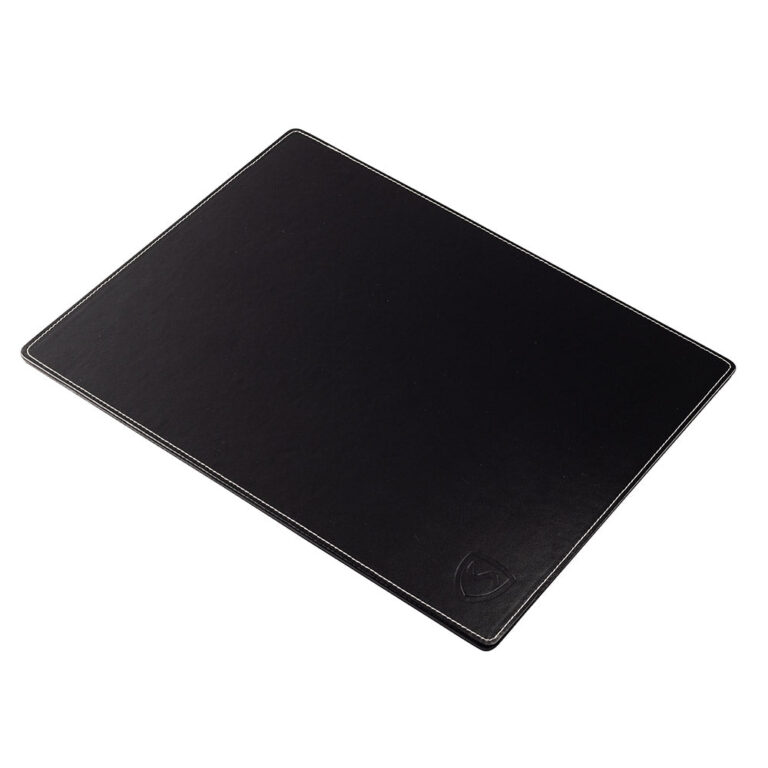
Laptop pads are designed to sit between your body and the laptop. Quality pads incorporate conductive materials that block electromagnetic radiation from penetrating through to your body.
Key features to look for:
| Feature | Why It Matters |
|---|---|
| ELF shielding | Blocks low-frequency radiation from electrical components |
| RF shielding | Blocks high-frequency radiation from WiFi/Bluetooth |
| Heat barrier | Prevents thermal energy from reaching your skin |
| Appropriate size | Must cover the laptop’s base completely |
| Documented testing | Verifies actual shielding effectiveness |
The shielding materials typically include layers of conductive metal mesh or coating that absorb or reflect EMF before it reaches your body. Think of it as creating a barrier that the radiation can’t easily pass through.
Laptop Stands and Docks
While not shielding products, stands and docking stations create distance between you and the laptop. A laptop on a raised stand with external keyboard and mouse keeps the EMF source at arm’s length or farther.
This approach works well for stationary work but doesn’t help when you need to use the laptop on your lap.
Grounding Products
Some products claim to reduce EMF by grounding the laptop or your body. While grounding has legitimate applications in some EMF contexts, it doesn’t address the RF radiation from WiFi or the ELF fields from AC power. Grounding is not a substitute for shielding or distance.
What to Look for in a Laptop Pad
Not all laptop pads offer equal protection. Here’s how to evaluate products:
Verified Shielding Effectiveness
Legitimate EMF protection products provide testing data showing their shielding performance. This testing should specify:
- Frequency ranges tested: Should include both ELF (60 Hz) and RF (WiFi frequencies: 2.4 GHz and 5 GHz)
- Shielding effectiveness: Usually expressed in decibels (dB) of reduction
- Testing methodology: Independent laboratory testing is more credible than manufacturer claims alone
A product that claims to block EMF but provides no testing data should raise questions.
Coverage of Complete EMF Profile
Laptops emit multiple EMF types. A pad that only blocks one type leaves you exposed to others. The best laptop pads address:
- ELF from electrical components
- RF from WiFi and Bluetooth
- Heat from operating components
Heat Protection
Beyond EMF, laptop heat poses a real risk. The same pad that blocks radiation should also prevent heat transfer to your body. Look for materials that act as thermal barriers, not just EMF shields.
Practical Design
A laptop pad only works if you actually use it. Consider:
- Size: Must accommodate your laptop with appropriate coverage
- Portability: If you travel, it should be easy to carry
- Durability: Should withstand regular use
- Comfort: Must be comfortable to use on your lap
Avoiding Gimmicks
Be wary of products that:
- Claim to “neutralize” or “harmonize” radiation without shielding it
- Use vague pseudoscientific language without specific claims
- Have no testing data or unverifiable claims
- Cost very little (effective shielding materials have real costs)
SYB Laptop Pad: Features and Protection
The SYB Laptop Pad is designed to address the complete exposure profile from laptop use.
Shielding Capability
The SYB Laptop Pad uses multiple layers of shielding materials to block:
- ELF radiation from electrical components and AC power
- RF radiation from WiFi and Bluetooth transmissions
- Heat from laptop operation
Laboratory testing demonstrates shielding effectiveness across the relevant frequency ranges. This isn’t based on theory alone; it’s verified through actual measurement.
Design Features
- Size options: Available in sizes to fit various laptop dimensions
- Comfortable surface: Designed for extended use on your lap
- Portable: Light enough to carry with your laptop
- Durable construction: Built for everyday use
How It Works
The pad creates a barrier between your body and the laptop. Conductive shielding materials in the pad absorb and reflect EMF, preventing it from penetrating through to your body. The thermal barrier prevents heat transfer independently of the EMF shielding.

When you use a laptop on your lap with the SYB Pad between you and the device, your exposure to both EMF and heat is significantly reduced compared to direct contact.
How to Use a Laptop Pad Effectively
Having a laptop pad only helps if you use it correctly.
Always Between Body and Laptop
The pad must be positioned between your body and the laptop, with the shielding side facing the laptop. If you place it incorrectly (shielding side down), it won’t work properly.
Complete Coverage
Ensure the pad fully covers the laptop’s base. EMF doesn’t stop at the edge of the pad. If part of your laptop hangs over the edge, that area still exposes you to EMF and heat.
Combine with Behavioral Changes
A laptop pad is most effective when combined with other protective strategies:
- Still disable WiFi when not needed
- Still unplug from AC power when possible
- Still take breaks during long sessions
- Use a desk when feasible
The pad handles situations where direct body contact is unavoidable, but it doesn’t eliminate the value of the free strategies that reduce exposure regardless.
Not for the Laptop’s Bottom
The pad goes on your lap, not under the laptop. Placing it under the laptop might reduce heat slightly but does nothing to block EMF from reaching your body.
Creating a Low-EMF Workstation
For maximum protection during regular laptop use, consider your entire workstation setup.
Home Office Configuration
- Position the laptop on a desk or raised stand
- Use wired keyboard and mouse to create distance
- Connect to Ethernet instead of WiFi when possible
- Keep the laptop unplugged except when charging is needed
- If WiFi is necessary, position the router away from your workspace
This configuration reduces exposure to minimal levels during work, regardless of session length.
Mobile Work Configuration
When working away from your desk:
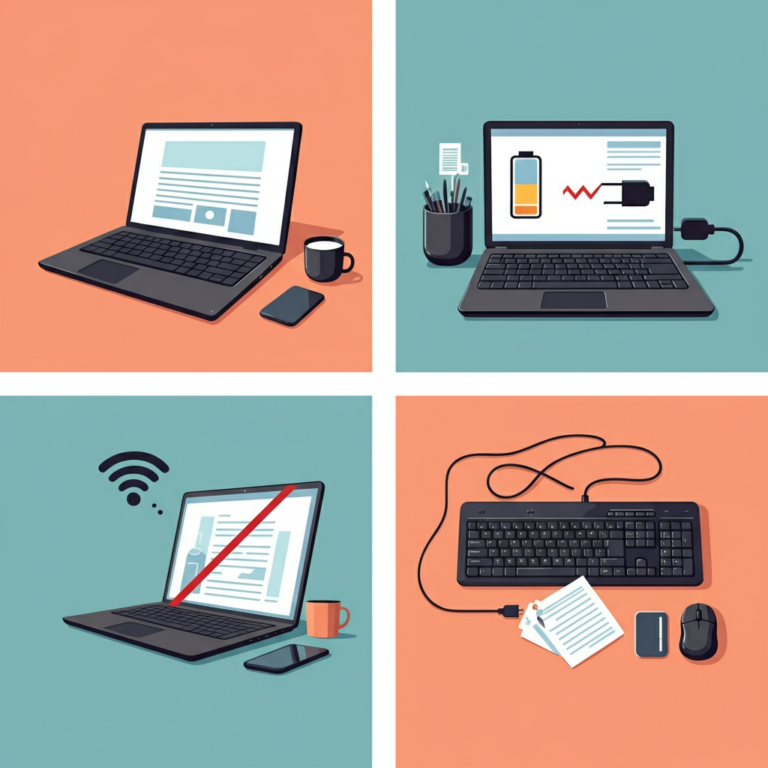
- Use the laptop pad between your body and the device
- Disable WiFi if working offline
- Take breaks to limit continuous exposure
- Position the laptop on a table if one is available
For Tablet Users
The laptop pad works for tablets as well, particularly larger tablets like the iPad Pro. If you frequently use a tablet on your lap, the same protection principles apply: barrier between body and device, attention to WiFi settings, and awareness of charging status.
The Bottom Line
Laptop EMF protection combines behavioral changes with protective products when needed. Distance, WiFi settings, and power source choices form the foundation, and these free strategies significantly reduce exposure for most people.
When laptop-on-lap use is unavoidable, an EMF shielding pad provides meaningful protection against both radiation and heat. The key is choosing a product with documented testing that addresses the complete exposure profile: ELF, RF, and thermal.
The goal isn’t to give up your laptop or live in fear of technology. It’s to use your laptop in ways that minimize unnecessary exposure. With a few simple adjustments and the right protection when needed, you can enjoy the benefits of your laptop while reducing its impact on your body.
For a comprehensive comparison of the best protection options available, check out our detailed laptop EMF protection guide. If you’re setting up a workspace where you sleep, our guide to creating an EMF free bedroom covers considerations for keeping technology away from your sleep space.
Common Misconceptions
Misconception: Any laptop pad or stand protects against EMF. Reality: Standard cooling pads and laptop stands don’t block EMF. They may help with heat or ergonomics, but without shielding materials, radiation passes right through. Only pads specifically designed for EMF shielding provide radiation protection.
Misconception: I don’t need a laptop pad if I don’t feel any heat. Reality: EMF exposure occurs whether or not you feel heat. The radiation your laptop emits isn’t related to thermal sensation. You can be exposed to significant EMF from a laptop that doesn’t feel warm to the touch, especially from WiFi transmission.
Misconception: Laptop pads block all radiation, so I can use my laptop however I want. Reality: While quality laptop pads significantly reduce exposure, they work best as part of a complete approach. Disabling WiFi when not needed, unplugging from AC power, and taking breaks still provide additional benefit even when using a pad.
Misconception: Aluminum foil or homemade shields work just as well as commercial products. Reality: Effective EMF shielding requires specific materials, proper construction, and complete coverage. DIY solutions typically have gaps, use inappropriate materials, or don’t address all EMF types. Commercial products designed for the purpose provide more reliable protection.
Misconception: If laptop radiation were really harmful, manufacturers would include protection. Reality: Laptop design prioritizes performance, battery life, aesthetics, and cost. EMF shielding adds weight, cost, and potentially heat management challenges. Regulatory standards for laptops address only thermal safety, not long-term biological effects of EMF exposure.
Frequently Asked Questions
Using a desk instead of your lap, disabling WiFi when not needed, and unplugging from AC power are effective strategies to reduce EMF exposure.
Choose a pad that blocks both ELF and RF radiation, provides heat protection, covers the laptop's base completely, and has documented testing for shielding effectiveness.
Take regular breaks, use a laptop pad with heat shielding, and avoid prolonged contact with the laptop to prevent skin damage.
No, only pads specifically designed for EMF shielding with verified testing can block radiation; standard cooling pads do not provide this protection.
If necessary, use an EMF shielding pad between your body and the laptop, and combine it with behavioral changes like disabling WiFi and taking breaks.